Printers for Sight Tapes
Overview
There are two main scenarios for printing sight tapes, and we recommend a different setup for each:
- At home: a standard desktop printer. Highest quality, most reliable scaling, and great for nearly everyone. This is still our overall top choice.
- In-the-field: a handheld label printer paired over Bluetooth with the PCA mobile app via Label Link. Portable, battery-powered, and finally a portable printing option we can genuinely recommend.
Quick picks
- At home, black and white: Brother HL-L2420DW laser printer (~$125) + SheetLabels Matte Inkjet Weatherproof label paper.
- At home, color: Brother HL-L3220CDW color laser printer (~$285) + SheetLabels Matte Inkjet Weatherproof label paper.
- In the field: Epson LW-C610PX or Brother PT-P710BT + Label Link.
At-Home Printing
A standard desktop printer remains our overall favorite option for printing sight tapes. They offer high resolution, handle sight tape scaling well, and are widely available. As a bonus, they're also useful for other everyday printing needs.
Desktop Laser
Laser printers are probably the overall best option for most people, especially for black and white prints.
- Monochrome (black and white) laser printers can be found for around $100. The Brother HL-L2420DW is very hard to beat for the money.
- Color laser printers are typically more expensive, but they're great if you really want color sight tapes. The Brother HL-L3220CDW is a great option at a reasonable price.
Laser printers usually:
- Produce slightly less vibrant colors than inkjets.
- Use toner, which lasts much longer than ink and doesn't dry out, ideal for infrequent use.
- Work well with a variety of weatherproof label materials, including vinyl.
While our personal favorite label paper is SheetLabels Matte Inkjet Weatherproof (even for laser printers), there are plenty of laser-compatible adhesive label options available. Avery is another solid weatherproof option that can be found at most office supply stores.
Note
Founder Tristan's personal sight tape printer is a Brother HL-L2420DW laser printer.
Desktop Inkjet
Inkjet printers are the most common and usually the least expensive upfront. They typically produce more vivid and clear colors than similarly priced laser printers, making them a good option if color matters to you.
However, they have some downsides:
- Ink can dry up or clog if the printer isn't used regularly.
- Ink cartridges tend to run out quickly and can be costly to replace.
- Weatherproof paper that works well with inkjet ink is slightly less common.
That said, we've had good results with SheetLabels Matte Inkjet Weatherproof paper. It's compatible with inkjet printers and holds up very well, especially with clear packaging tape over the top.
4x6" Thermal Label Printer
We support a 4x6" PDF export format specifically for thermal label printers. These printers are compact and print directly onto adhesive, weatherproof shipping labels, making them very convenient for at-home use with a phone or computer.
Scaling has been solid with these sorts of printers, as they also print from PDF documents. (As long as you print with a custom scale of 100%, you should be all set.)
However, there's one major tradeoff: resolution.
- Most thermal printers are 203 DPI (dots per inch).
- Some higher-end models support 300 DPI.
In comparison, standard desktop printers typically offer 600-1200+ DPI. The result is that thermal-printed sight tapes are usable, but not nearly as crisp. Fine detail, small numbers, or tight marks may look fuzzy or pixelated.
We recommend this sort of printer for quick and easy tape testing before printing a high-end tape from a desktop printer.
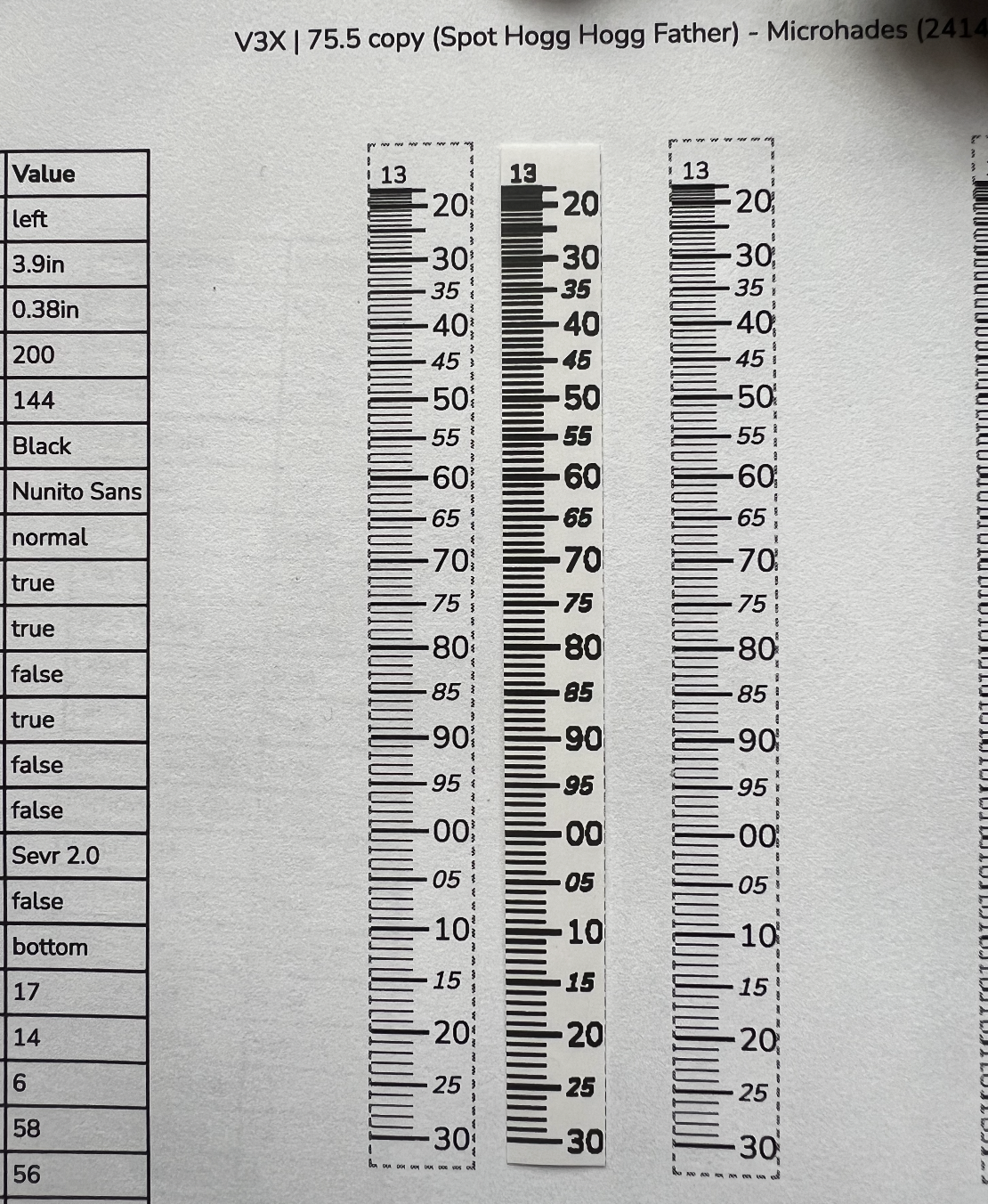
Here is an example of a 203 DPI thermal printout (with this printer from Amazon) vs. a 1200 DPI desktop printout:
Tip
Most thermal shipping label printers have a speed setting. Turning this down all the way seems to significantly improve the quality of the printout with most of these shipping label printers.
Paper
We've tried a ton of different types of paper for sight tapes, and we keep coming back to one in particular:
SheetLabels Matte Inkjet Weatherproof
We use this paper with both laser and inkjet printers. It's weatherproof, adhesive, sticks well, and is very easy to work with.
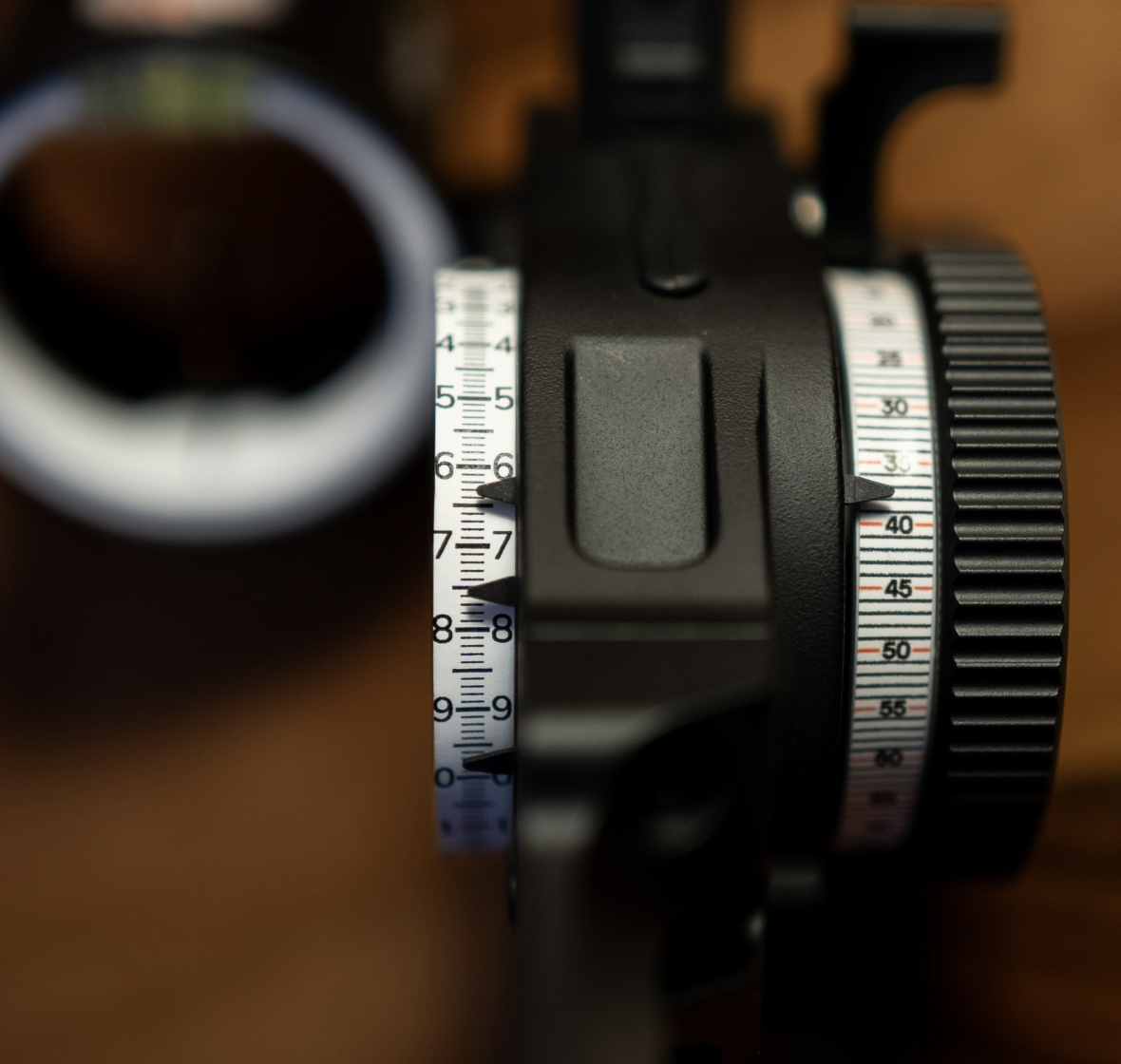
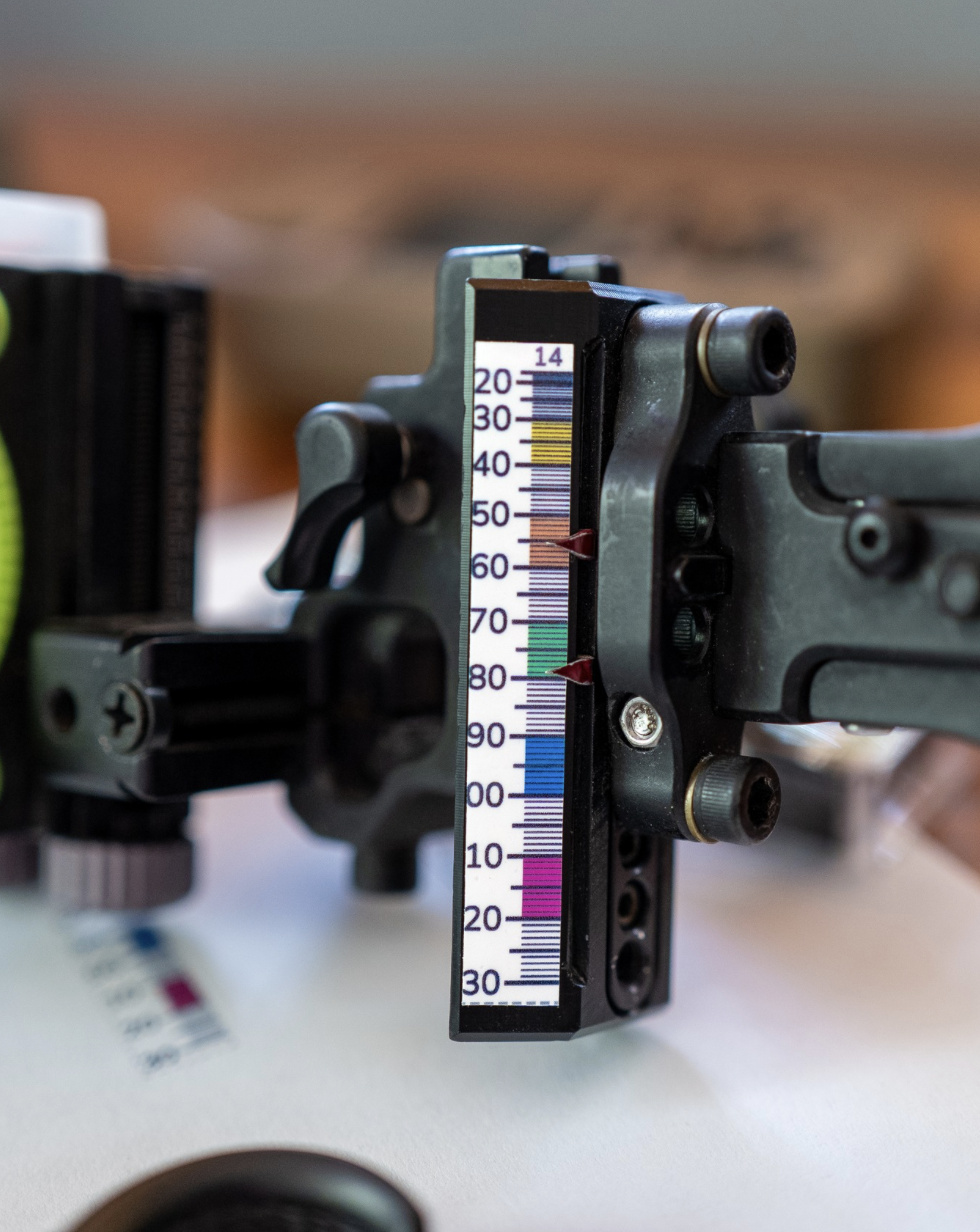
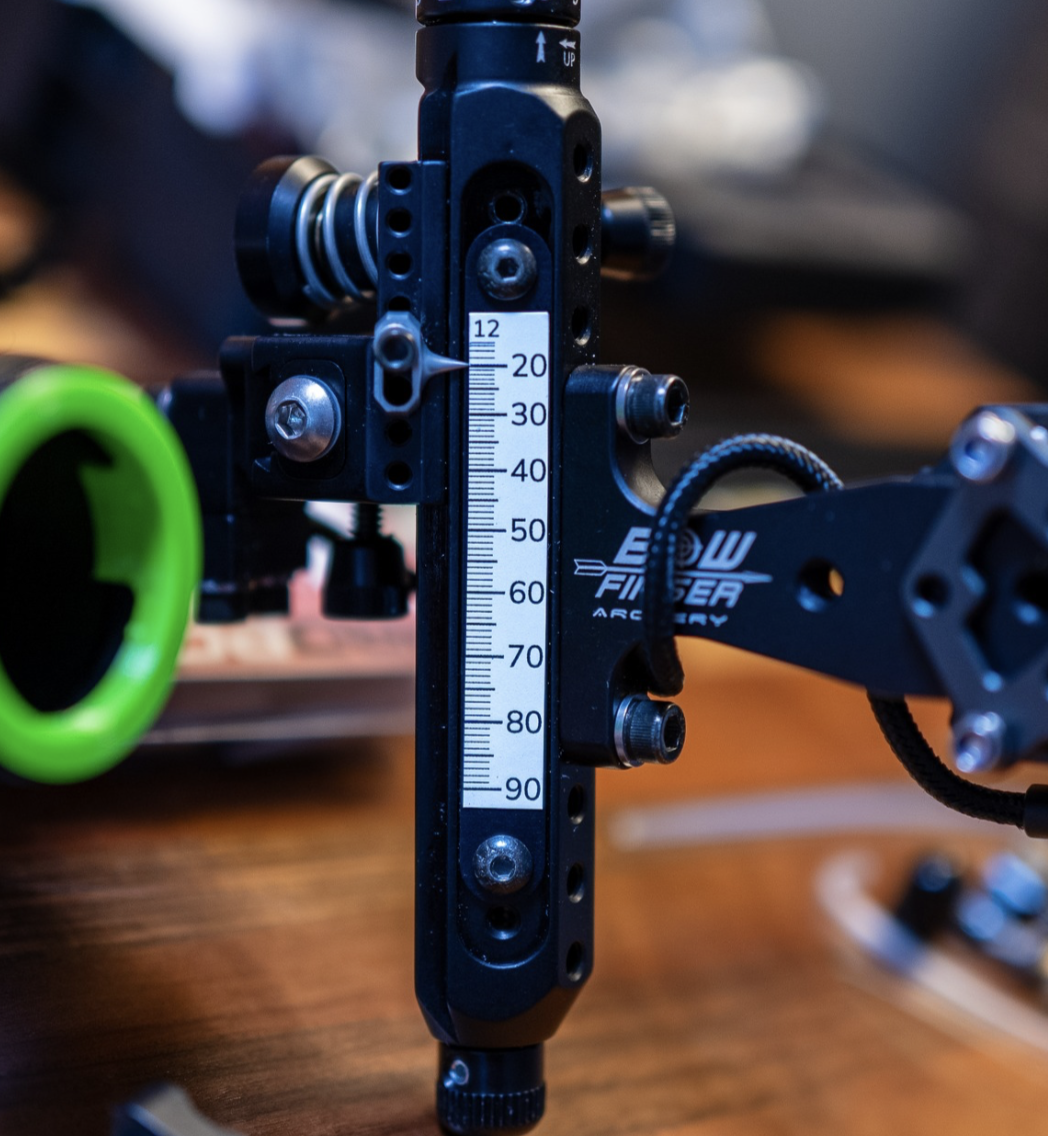
Example sight tapes
In-the-Field Printing
For printing sight tapes on the go, at the range, on a hunt, or while traveling, our recommendation is Label Link: direct Bluetooth printing from the PCA mobile app to a compatible handheld label printer.
Pair a supported Epson or Brother label printer once, run a quick feed calibration, and print sight tapes straight from your phone. No desktop computer, no manual scaling, no fiddling with a manufacturer's app.
And it works fully offline!
As far as we know, this is the first direct label-printer integration in any archery software, and it's finally a portable sight tape printing option we can genuinely recommend.
Print-quality comparison
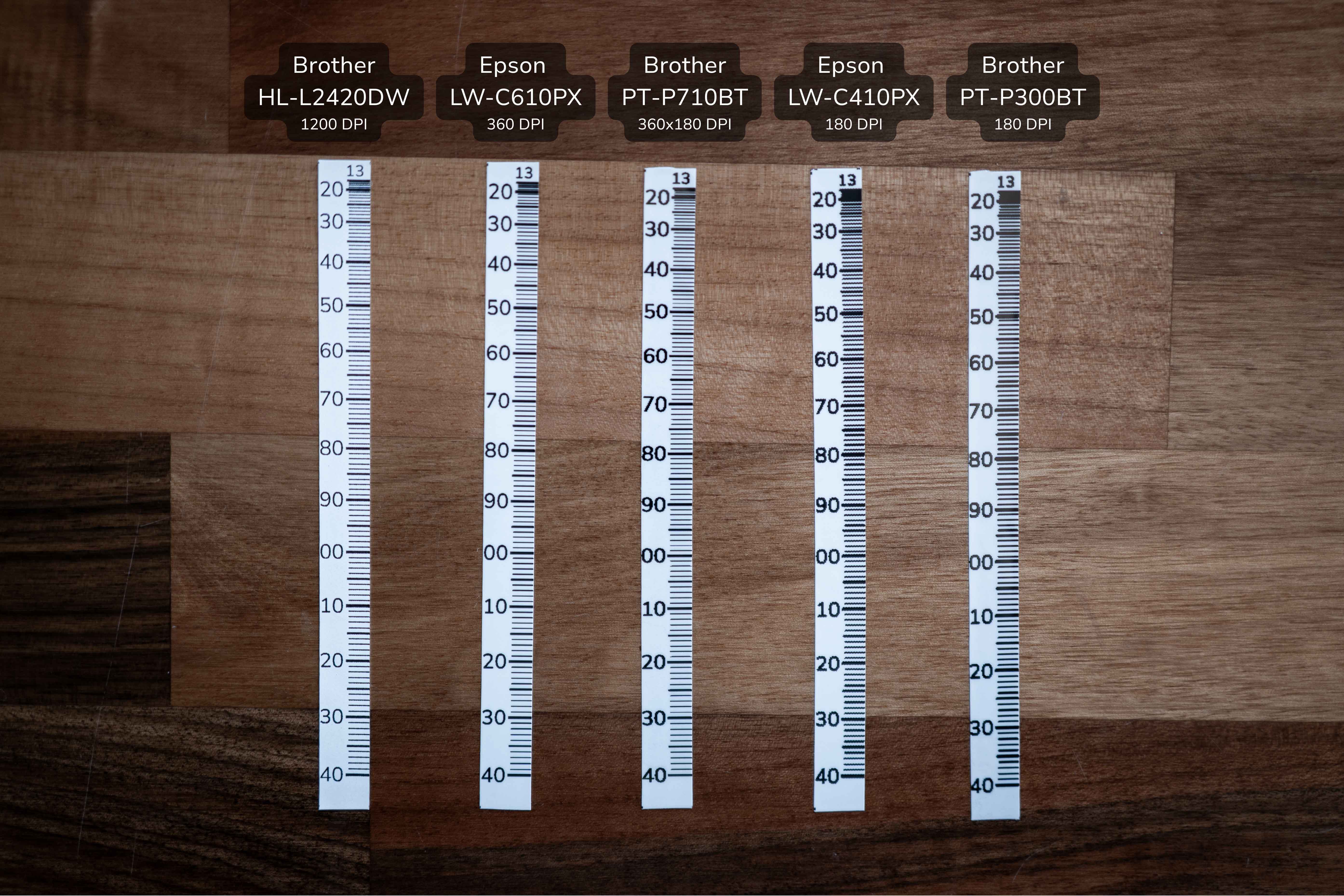
Here's the same sight tape printed on each of our tested field printers, side-by-side with a desktop laser print for reference (leftmost). You can see how resolution affects legibility.
Tip
Zoom in on the picture to see the detail.